🧭
Real-Time Direction Guidance
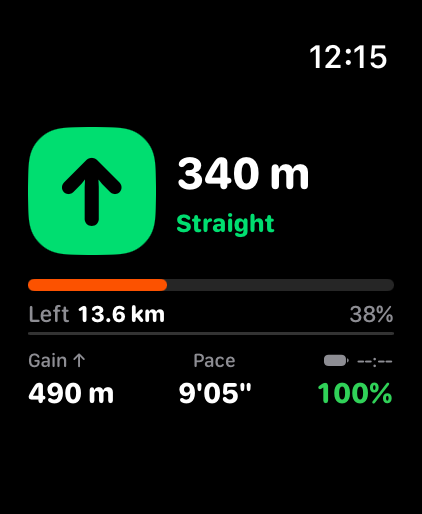
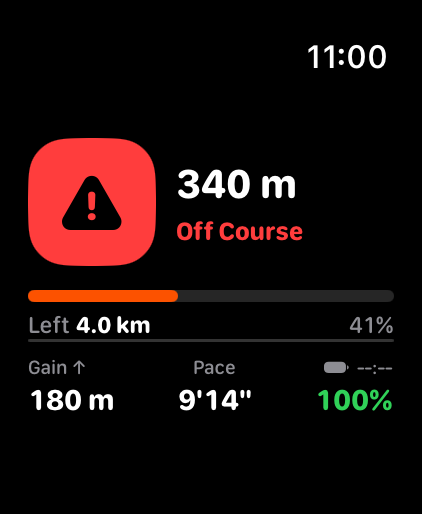
See the distance and direction to your next turn at a glance. A compass arrow shows exactly which way to go, and an instant alert when you leave the route helps you get back on track fast.
📂
GPX Course Support
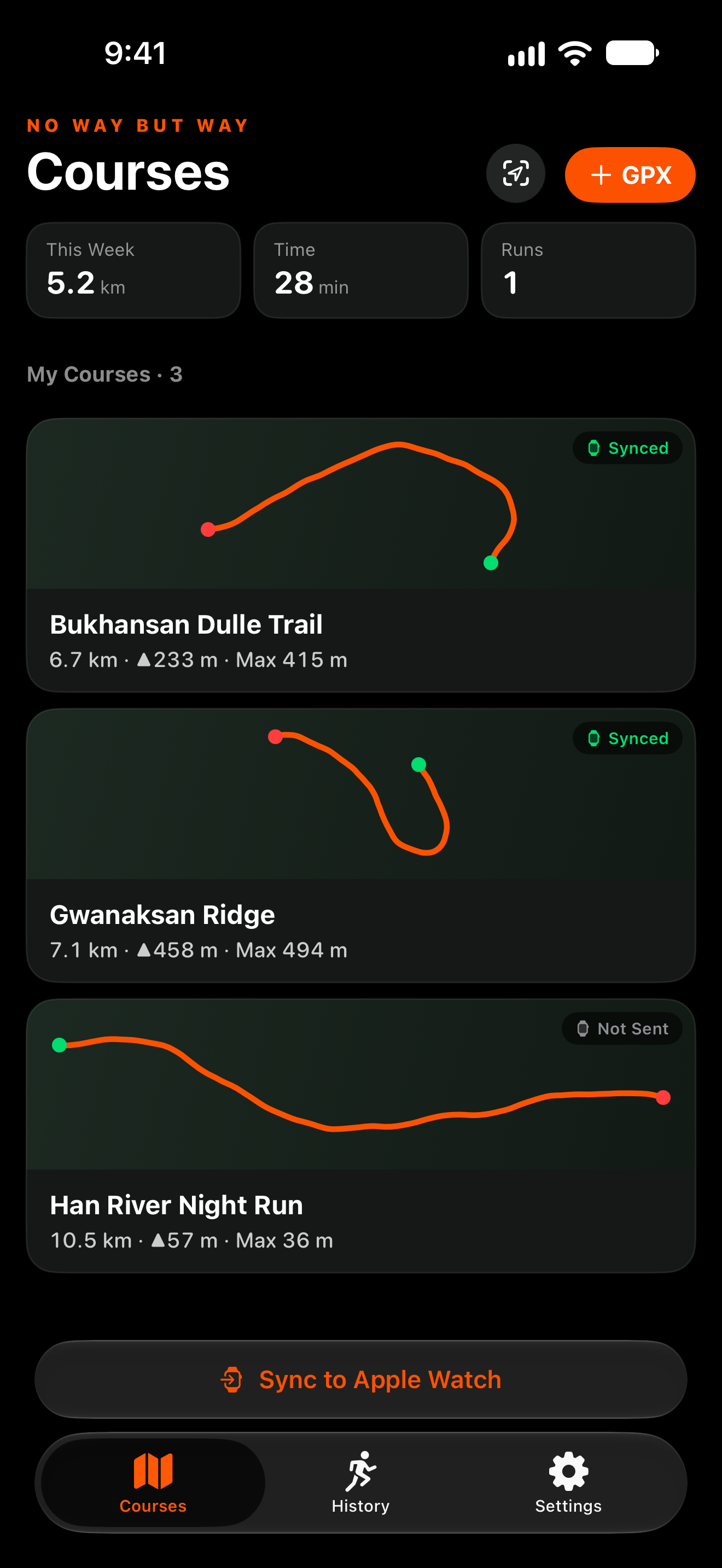
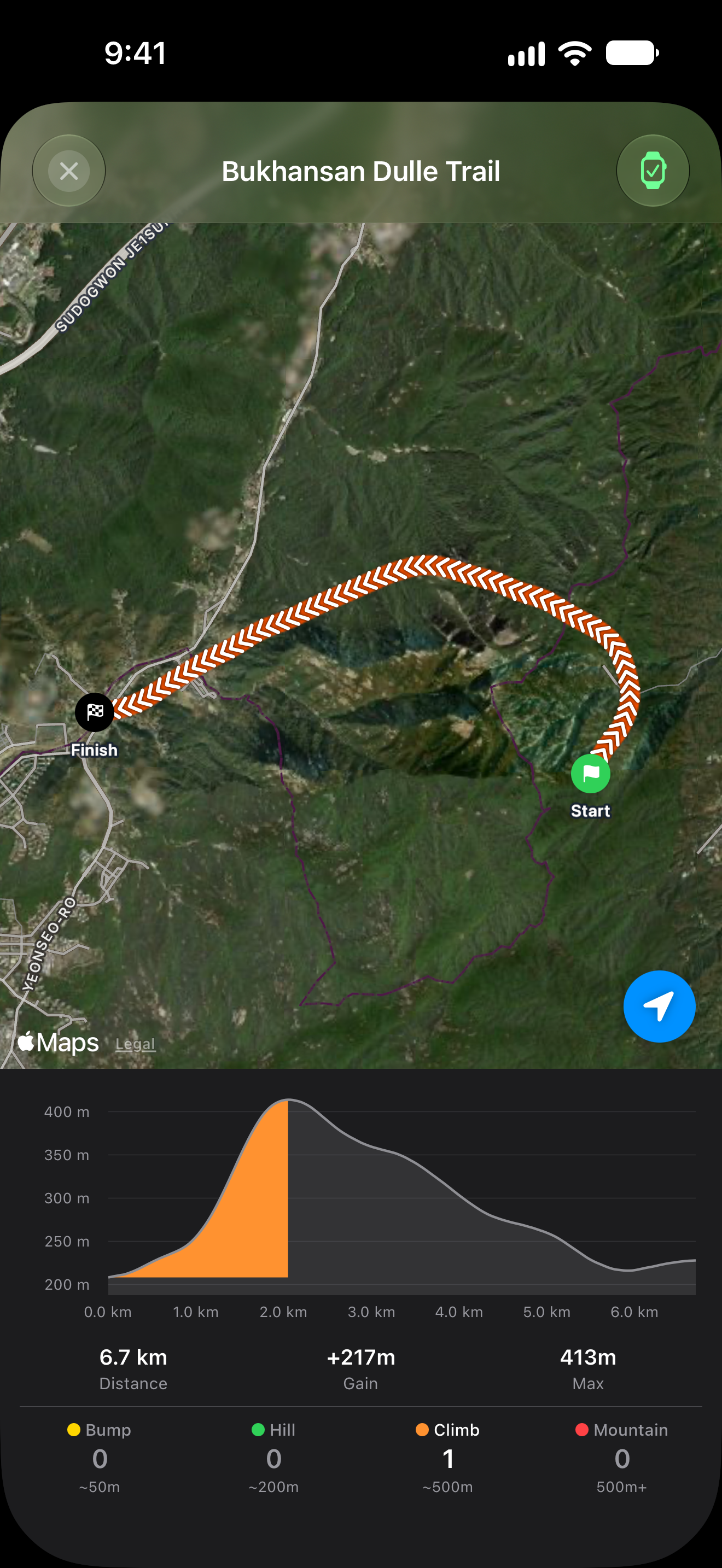
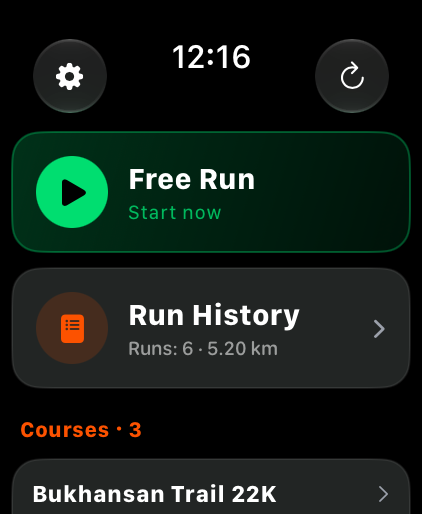
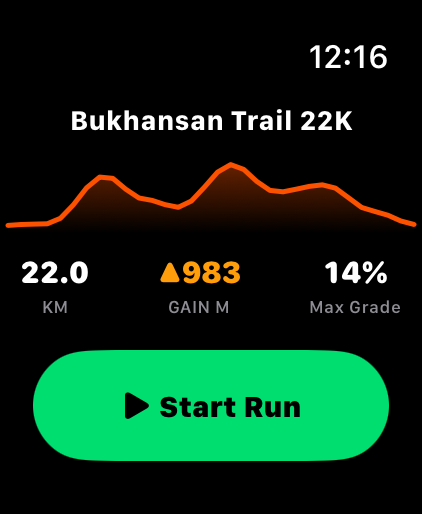
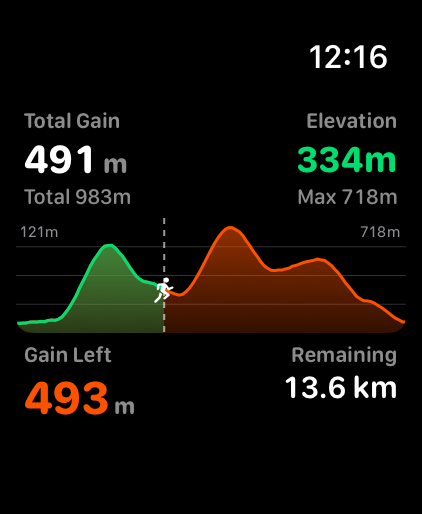
Import GPX files on iPhone and sync them to your Watch. Follow popular trail routes and race courses exactly as mapped, and check the elevation profile to see the climbs and descents ahead. Export your run as GPX when you're done!
❤️
Complete Workout Tracking
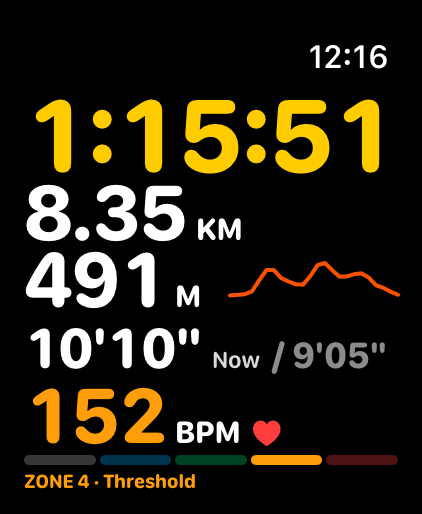
Monitor heart rate, distance, pace, and calories in real time. Color-coded heart rate zones (Z1–Z5) show your effort at a glance. Automatic 1 km laps, plus manual laps with the Apple Watch Ultra Action Button. Accurate total elevation gain with sensor noise filtered out. Workouts are saved to Apple Health automatically.
⌚
Built for Apple Watch
Runs standalone - no iPhone needed, just your Watch. Battery-efficient design for long-distance runs. Companion Mode saves even more battery when you run with your iPhone.
📱
Eight Run Screens
1. Stats - big, Workout-app-style metrics on a single screen with a heart rate zone gauge
2. Navigation - direction compass and distance to the next point
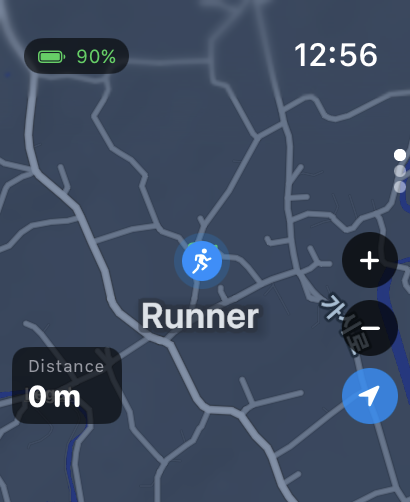
3. Map - live location, route, and checkpoints
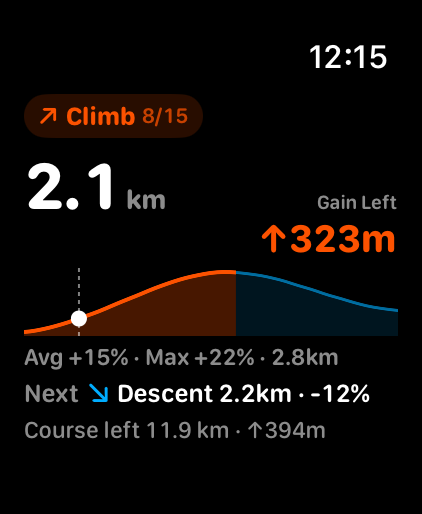
4. Sections - distance, climb, and grade left in each climb, descent, and flat
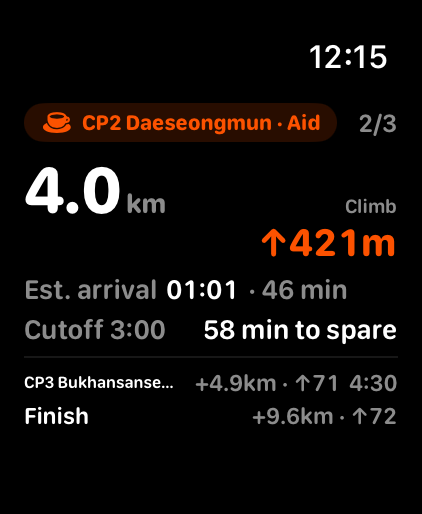
5. Checkpoints - distance to the next CP, estimated arrival, and time to cutoff
6. Elevation - your position on the full-course elevation graph, gain so far / left / total, and current and max elevation
7. Laps - lap-by-lap times recorded with the Action Button
8. Controls - swipe right to pause, mark a lap, Backtrack, or end
🔥
Strava Integration
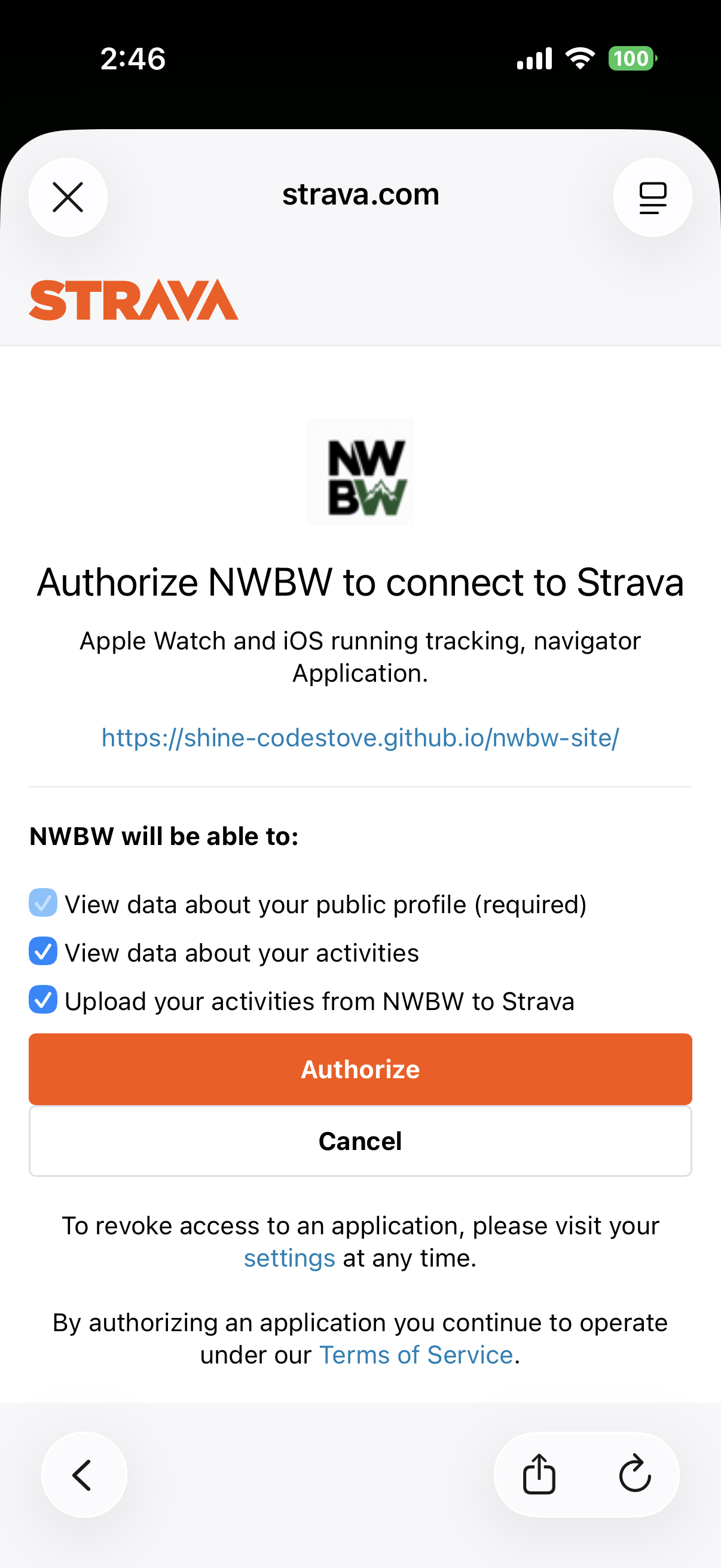
Upload finished runs straight to Strava. Your route, elevation, actual GPS timestamps, and heart rate data are sent in GPX format, so you can even see your heart rate graph on Strava. Connect once and your sign-in token renews automatically.
⛰️
Climb Guidance
200 m before a climb begins, a voice prompt tells you its length, average grade, and elevation gain. With real-time grade (%), vertical speed (VAM), and the gain left on the course, you'll know the hills ahead and can pace yourself.
📍
Race Checkpoints & CutoffsNEW
Add CP names, distances, aid stations, and cutoffs in iPhone Course Details → Race CPs. Your Watch shows distance and climb to the next CP, estimated arrival, and time to cutoff, with voice alerts 500 m ahead and as you pass. GPX waypoints are recognized as CPs automatically.
📈
SectionsNEW
Your course is split into climbs, descents, and flats. See distance left, climb left, average and max grade for the current section, and what comes next. A simple way to pace a race.
🪧
Guidance LevelNEW
Choose Minimal for well-marked races (one alert when you go off course) or Precise for unfamiliar trails (major forks announced ahead). Settings → Running → Guidance level.
🔋
Battery & Fuel AlertsNEW
Get alerts at 20% and 10% battery or if it may not last to the finish, with battery saver GPS at 10%. Turn on fuel reminders to be told when it's time to eat and drink.
💾
Run RecoveryNEW
Your run is saved as you go. If the app closes, reopen it and keep running, and save runs cut short by a dead battery.
🛟
Safety Features
Backtrack - guides you back along the path you came so you can return safely. Sunset warning - a voice warning gives you advance notice when your estimated finish time gets close to sunset. Works without a network connection.
🎯
Smart Run Assist
Auto-Pause - pauses recording when you stop and resumes when you start running again. Target Pace - a voice alert tells you when you fall behind your target. Voice alert intervals (by distance or time) are fully customizable.
🏁
Lap Times & Action Button
Running the same loop several times? Press the Action Button on Apple Watch Ultra to record a lap each time around. Press it before a run to start a Free Run instantly, and review each lap's time, distance, and pace on the Laps screen and in the run details on iPhone.
⚙️
Settings Sync
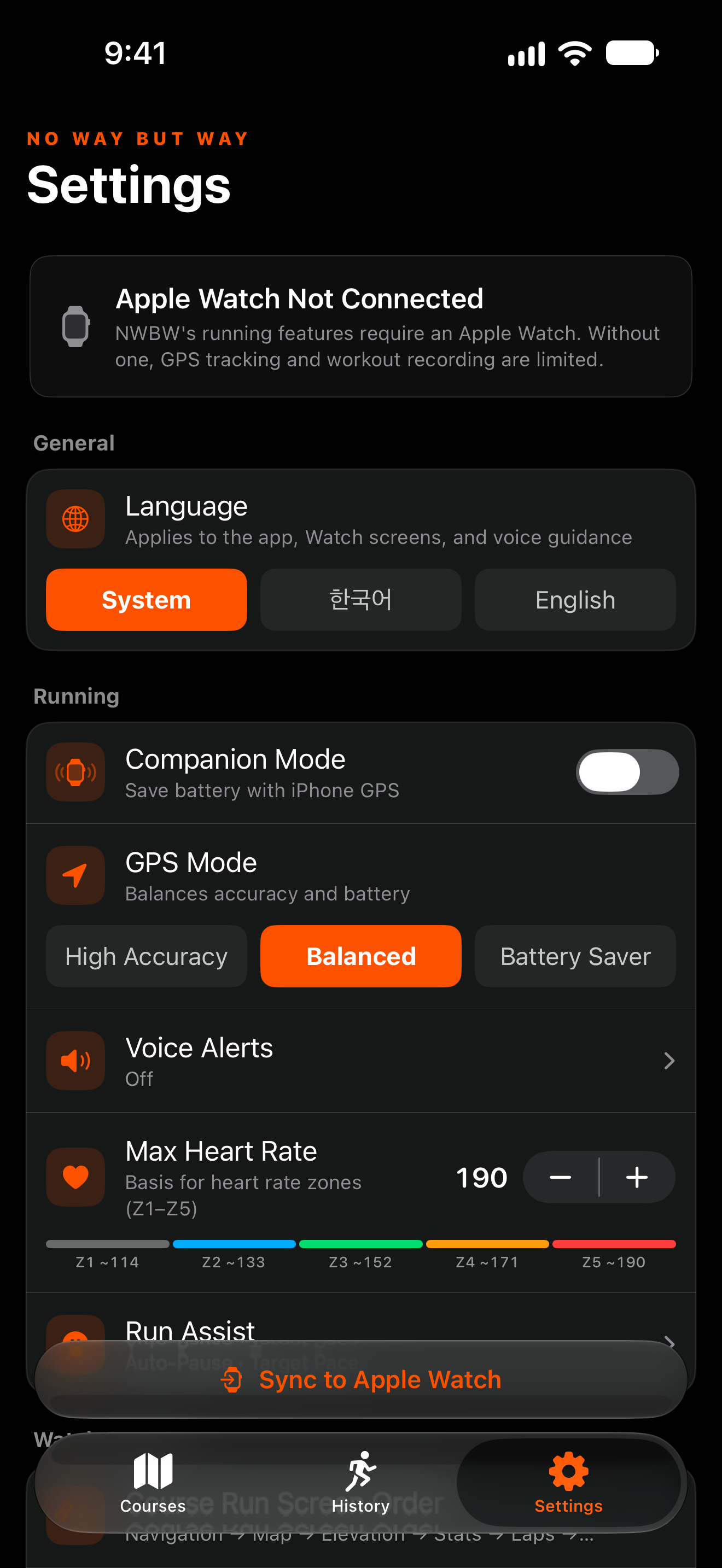
GPS Mode, voice alerts, Target Pace, screen order, and other settings you change on iPhone sync to your Watch automatically. Check the values currently applied and the last sync time right on the Watch's Settings screen.
📡
Live Tracking
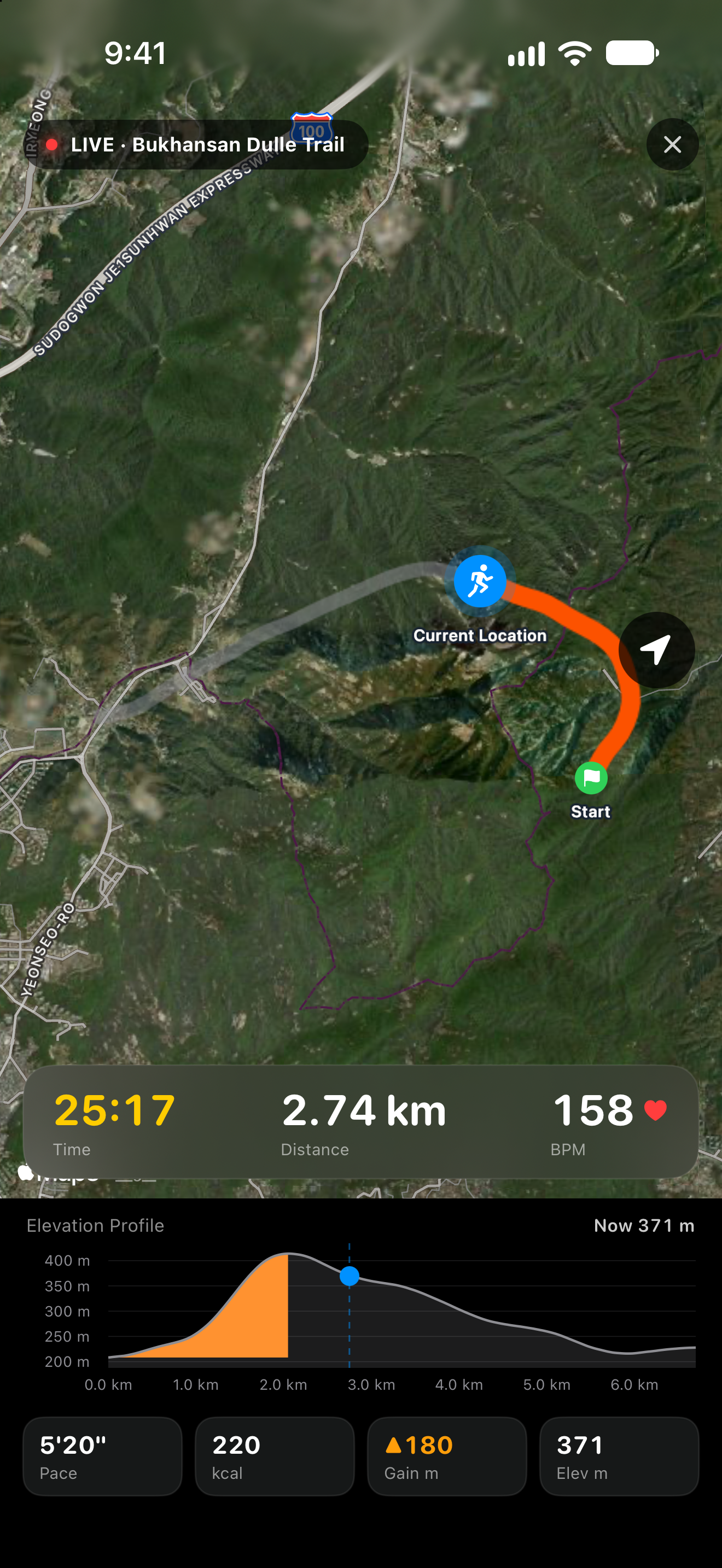
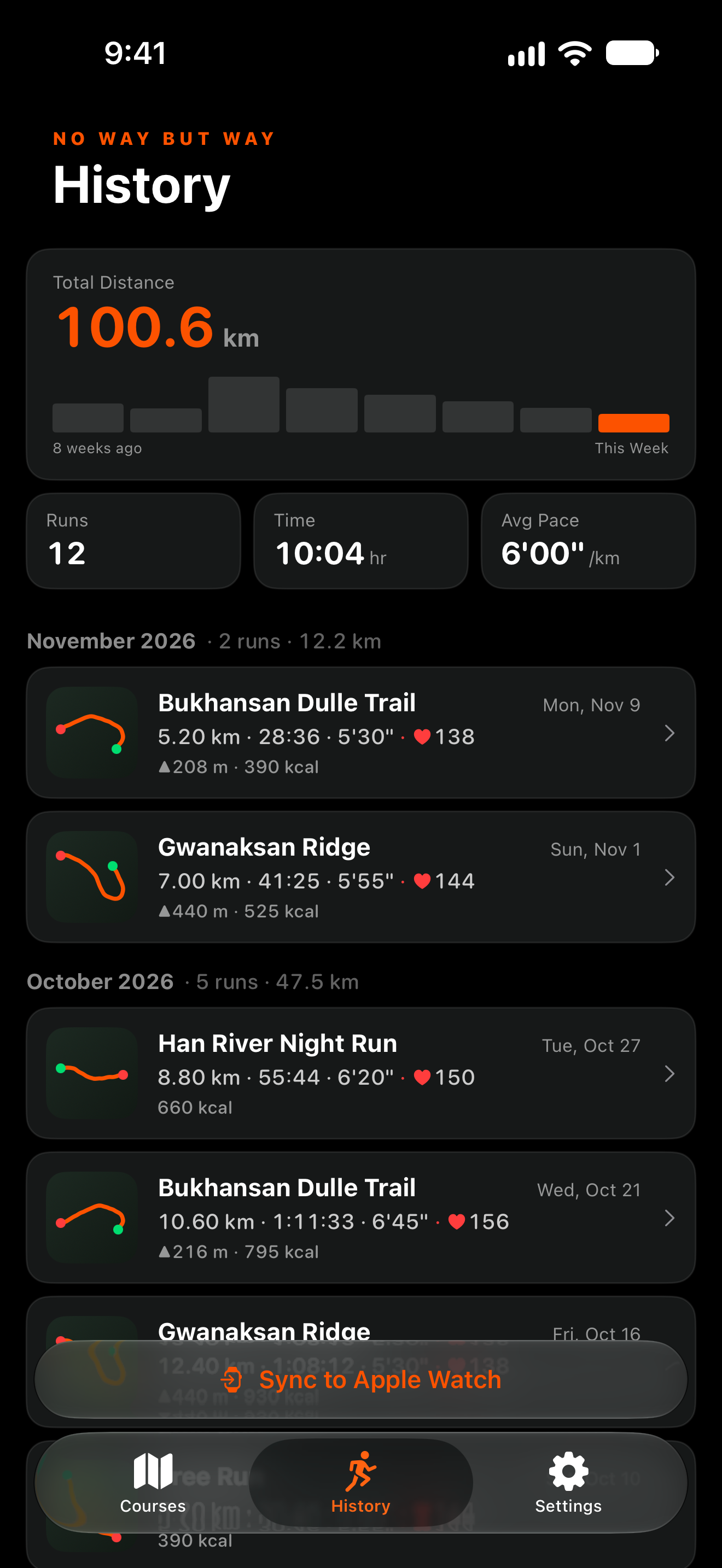
Follow real-time location and workout data on iPhone while you run with your Watch. Open the iPhone app and the live card appears right away; if the connection drops, data is buffered and restored automatically. If a run is missing on iPhone, it's fetched again from the Watch automatically.
🌐
English & KoreanNEW
Starting with version 0.3.7, the entire app is available in English. Choose System, 한국어, or English in the app's Settings → General → Language, and your Watch follows your iPhone's setting.